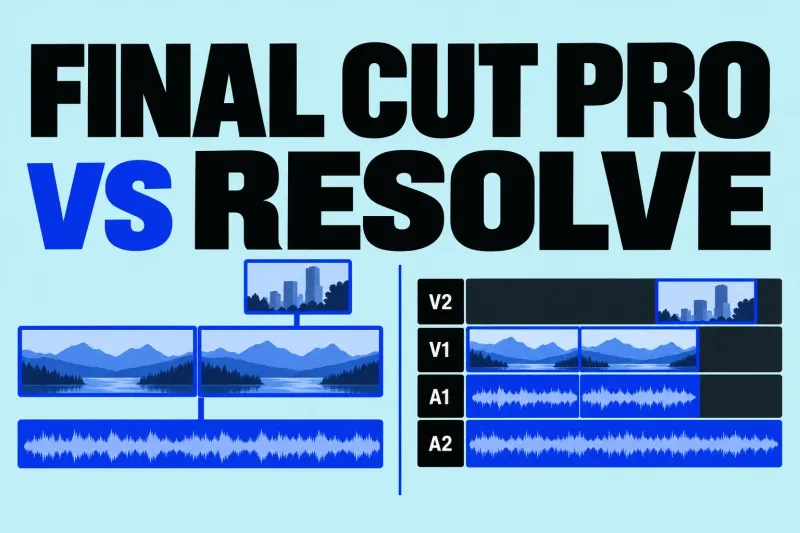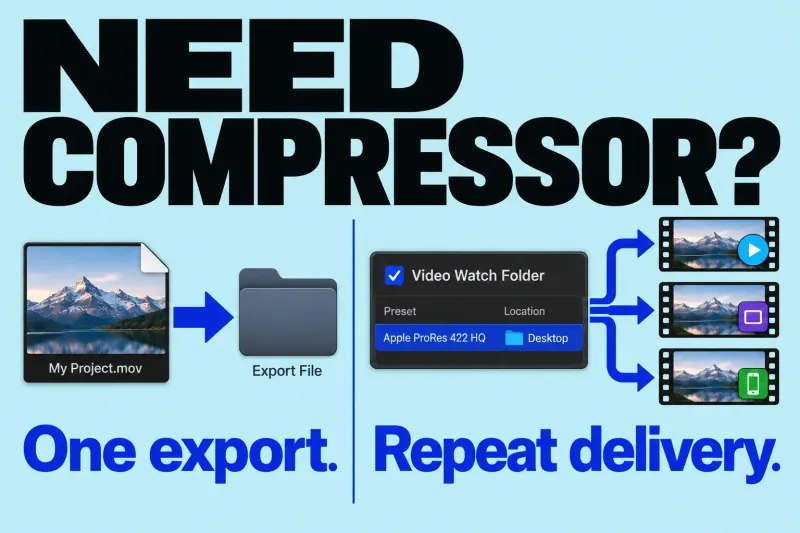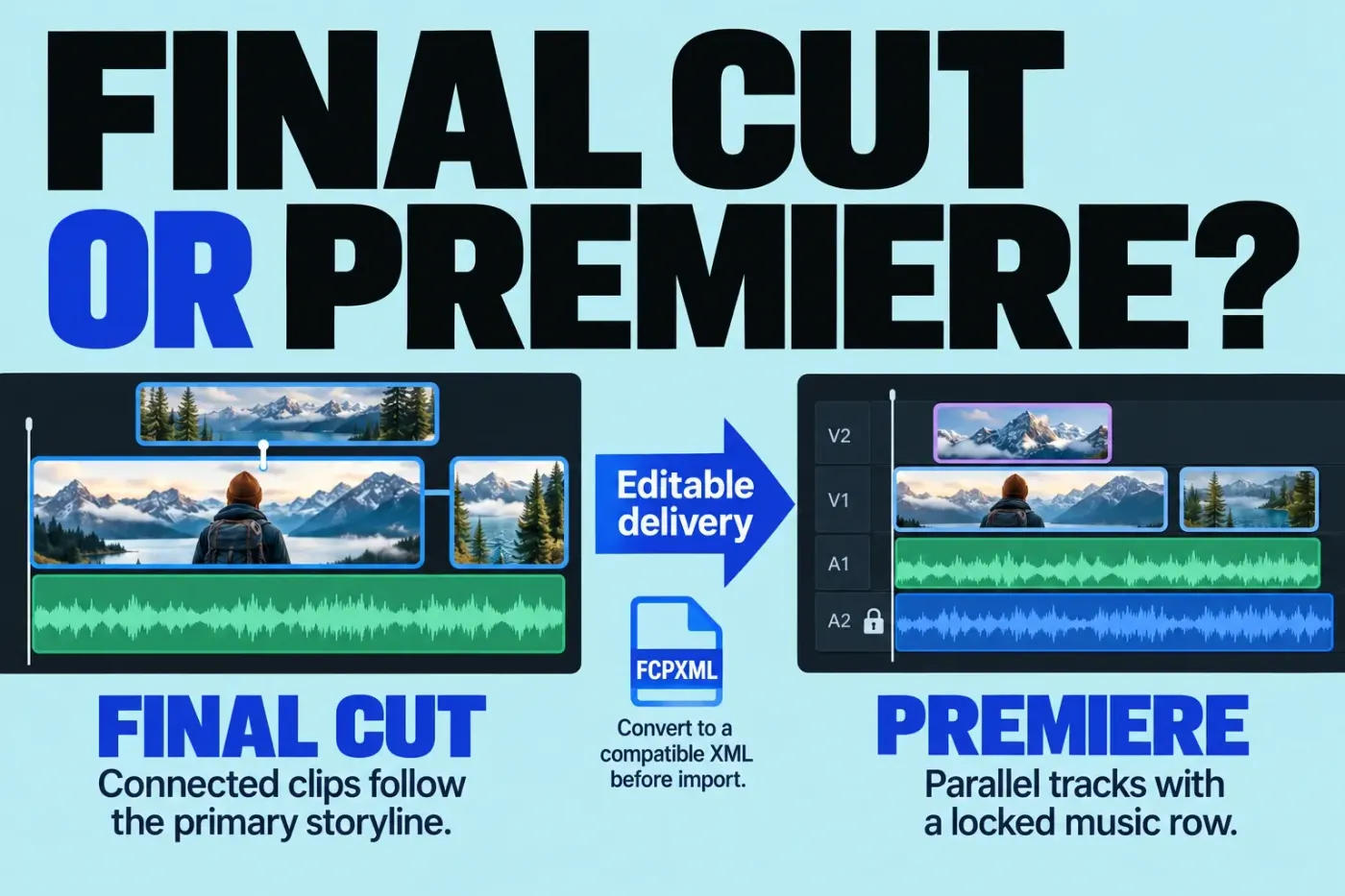
I would choose Final Cut Pro for work I control on a Mac when its Magnetic Timeline fits the way I edit and the client wants finished videos. I would choose Adobe Premiere when the receiving team needs editable Premiere projects, Windows editors must participate, or recurring After Effects work makes Adobe's integration useful.
If you already work well in Final Cut, an actual client or job requirement is a good reason to learn Premiere alongside it. A claim that one editor is “more professional” is a poor reason to rebuild your entire workflow. Start with the deliverable, then compare the costs and dependencies needed to produce it.
Premiere Pro is now called Adobe Premiere. This comparison concerns the desktop editor and Final Cut Pro for Mac; the mobile and iPad applications are separate parts of those product families.
The differences that can decide the job
| Requirement | Final Cut Pro | Adobe Premiere |
|---|---|---|
| Organize and revise an edit | Libraries, events, and projects, with a primary storyline and connected clips. | Bins organize clips and sequences; sequences have parallel video and audio tracks. |
| Desktop platform | Mac. | Mac and Windows, subject to current system requirements. |
| Cloud project collaboration | Agree how libraries, media, and dependencies are exchanged. | Team Projects manages shared project data in the cloud; collaborators still need access to the media. |
| Shared production organization | Agree the library organization and editor handoff. | Productions splits work into smaller projects and uses project locking, with an agreed shared-media arrangement. |
| Native project delivery | Use when the recipient accepts a Final Cut library or the agreed finished files. | Use when continued work must happen in a native Premiere project. An XML conversion needs separate approval and verification. |
Magnetic Timeline or tracks?
In Final Cut, supporting material connects to the storyline. Imagine shortening an interview answer with a cutaway attached to it: the connection tells Final Cut which part of the story that cutaway follows. Our Magnetic Timeline guide explains those relationships and how to control them.
Premiere organizes a sequence through video and audio tracks. You can keep dialogue, music, graphics, and other elements on chosen tracks, then use the relevant editing controls to revise their timing. A project can contain several sequences, each with independent settings. That is useful when the receiving editor expects a particular track layout and sequence organization.
Switching means relearning habits; it doesn't show that either model is unsuited to long or complex work. Compare how each editor handles a revision you expect to repeat: finding an answer, changing its length, keeping its cutaways together, and checking the music afterward.
Shorten the same interview answer in both editors
Take a simple case: put two answers next to each other, place a cutaway over the second answer, and use a music bed across the cut. Remove two seconds from the end of the first answer. The second answer and its cutaway should come forward together; the music needs its own timing decision.
In Final Cut: keep the answers in the primary storyline and connect the cutaway to the second answer. Ripple-trimming the first answer's end brings the later storyline material forward, with the cutaway following its connection; that's standard connected-clip behavior. If that cutaway instead needs to keep its existing timeline time, hold Grave Accent (`) while editing the storyline. To change its connection point, Command-Option-click the connected clip at the desired frame. Inspect the music's anchor separately and listen through the revised cut; a connection to a story moment does not decide whether a beat still fits shortened picture.
In Premiere: put the interview picture on V1, its linked dialogue on A1, the cutaway on V2, and music on A2. Leave Linked Selection enabled so selecting the interview's linked picture selects its sound too. The icon at the Timeline panel's top-left toggles that behavior; Option-click on a Mac selects just one audio or video part. A separate cutaway or music clip is not automatically part of the linked interview pair.
Select the first answer, press B for Ripple Edit, and drag its end two seconds earlier. Downstream clips move and the sequence becomes shorter. Enable Toggle Sync Lock in the headers of the tracks that must participate, including the cutaway track. This controls which other tracks follow an insert, ripple delete, or ripple trim. A track containing a clip directly involved in the operation can shift regardless of its Sync Lock state.
If the music bed must keep both its content and timeline position, use Track Lock on A2 while revising the other tracks; locked clips remain in preview and export. Track Lock prevents modification, while Sync Lock controls participation. If a cue should follow the shortened picture, leave the music editable and revise that cue deliberately. In either case, listen across the edit and check the new picture-to-music relationship. If your timing notes use sequence markers, also review Marker > Ripple Sequence Markers: disabling it keeps sequence markers fixed during ripple trims.
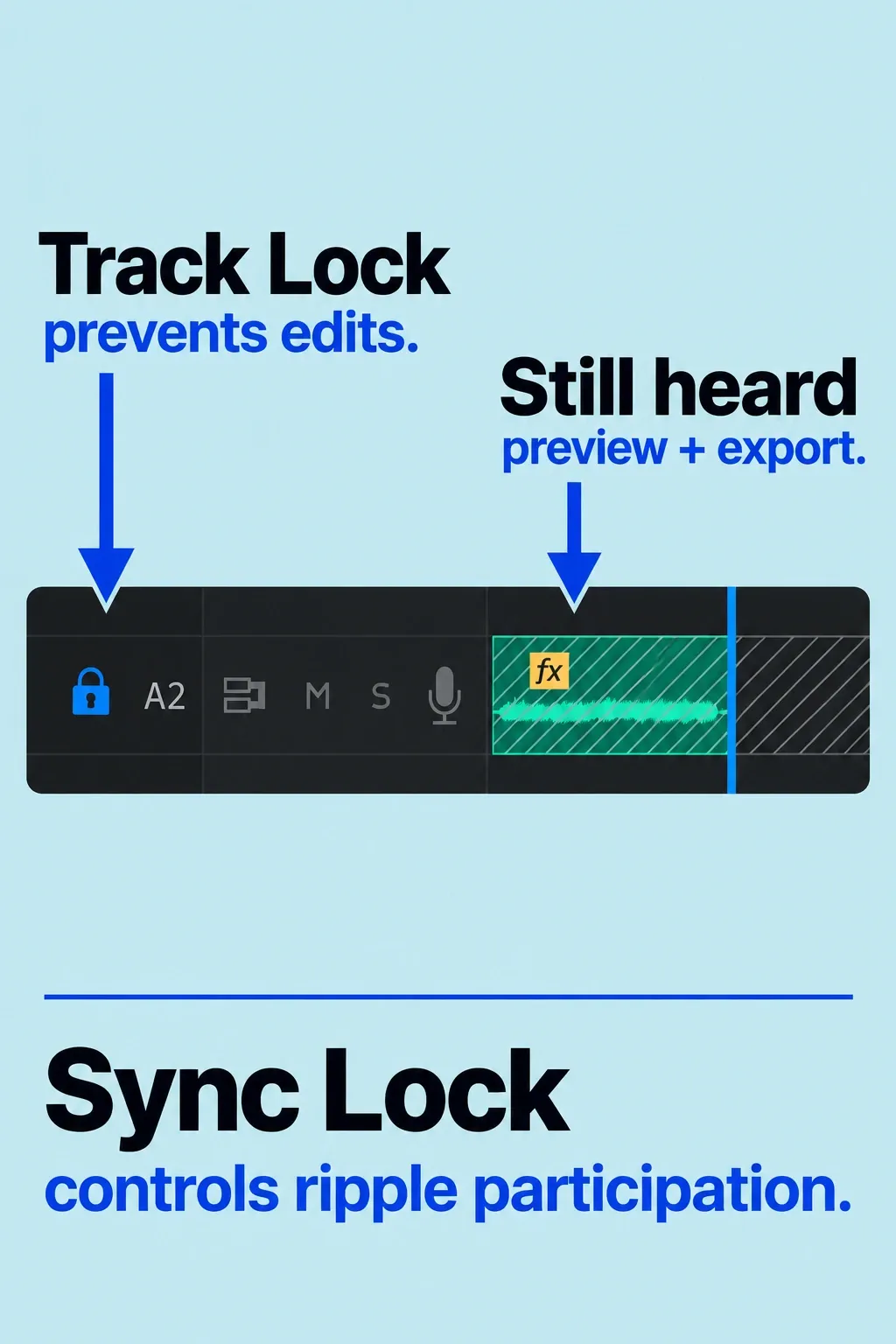
Both editors can preserve sync. Final Cut makes the connection to the storyline the main relationship; Premiere separates linked clip selection, ripple participation, and track protection. I would choose the arrangement I can maintain through repeated revisions, then learn the receiving team's layout when the job requires it.
Find speech, edit the transcript, or create captions?
Final Cut Transcript Search finds spoken material. In the browser, click Search and choose Transcript > Includes for exact words or Is Related To for related phrases. Results contain matching ranges with context. Transcript Search is a search tool, not a way to rearrange the edit by cutting and pasting a written sequence transcript. It requires Apple silicon and U.S. English. Only the first audio channel is analyzed. Multicam and synced containers are not analyzed themselves, although their active angles or clips can appear when their source clips were analyzed; compound clips are excluded. For an interview, check the source clips and which channel contains the dialogue.
Premiere Text-Based Editing can change the rough cut through text. It is included with a Premiere subscription. When importing dialogue footage, enable Automatic transcription in Import settings and choose the Language and Speaker labeling options. You can also transcribe individual clips later in the Text panel. Once clips are in the edit, select the Timeline panel to switch to the sequence transcript. Copy and paste the selected text to rearrange material; cutting or deleting it removes clips and applies a ripple edit. Refine timing, pacing, sound, and transitions with the timeline tools afterward.
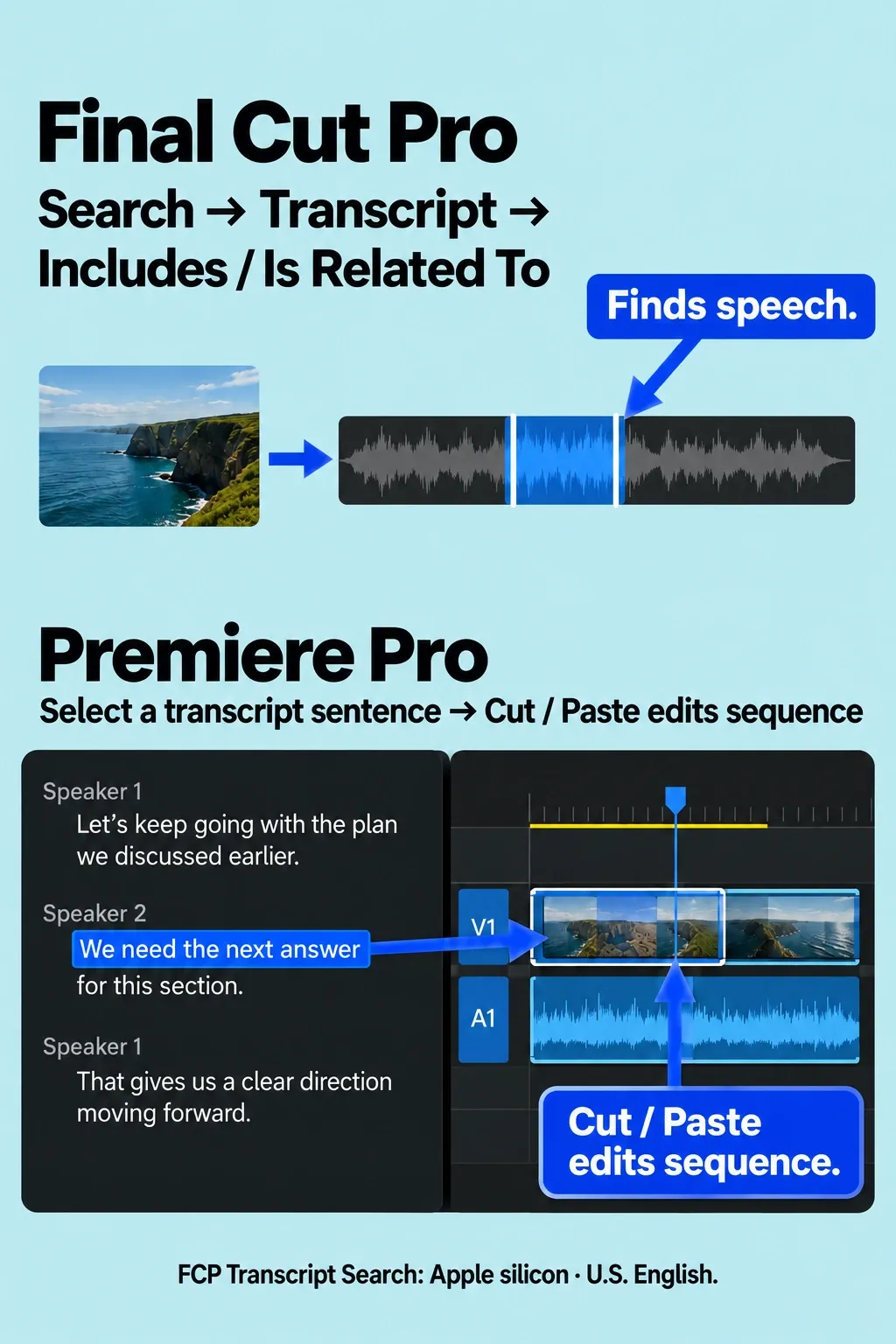
Premiere's dedicated Speech-to-Text language list includes English, English (UK), and other named languages. Confirm the exact dialect or language on that list and download the required language pack when prompted. That differs from Final Cut's U.S.-English-only automatic tools, and a longer language list says nothing about recognition accuracy. Both applications still need to meet the installation requirements below.
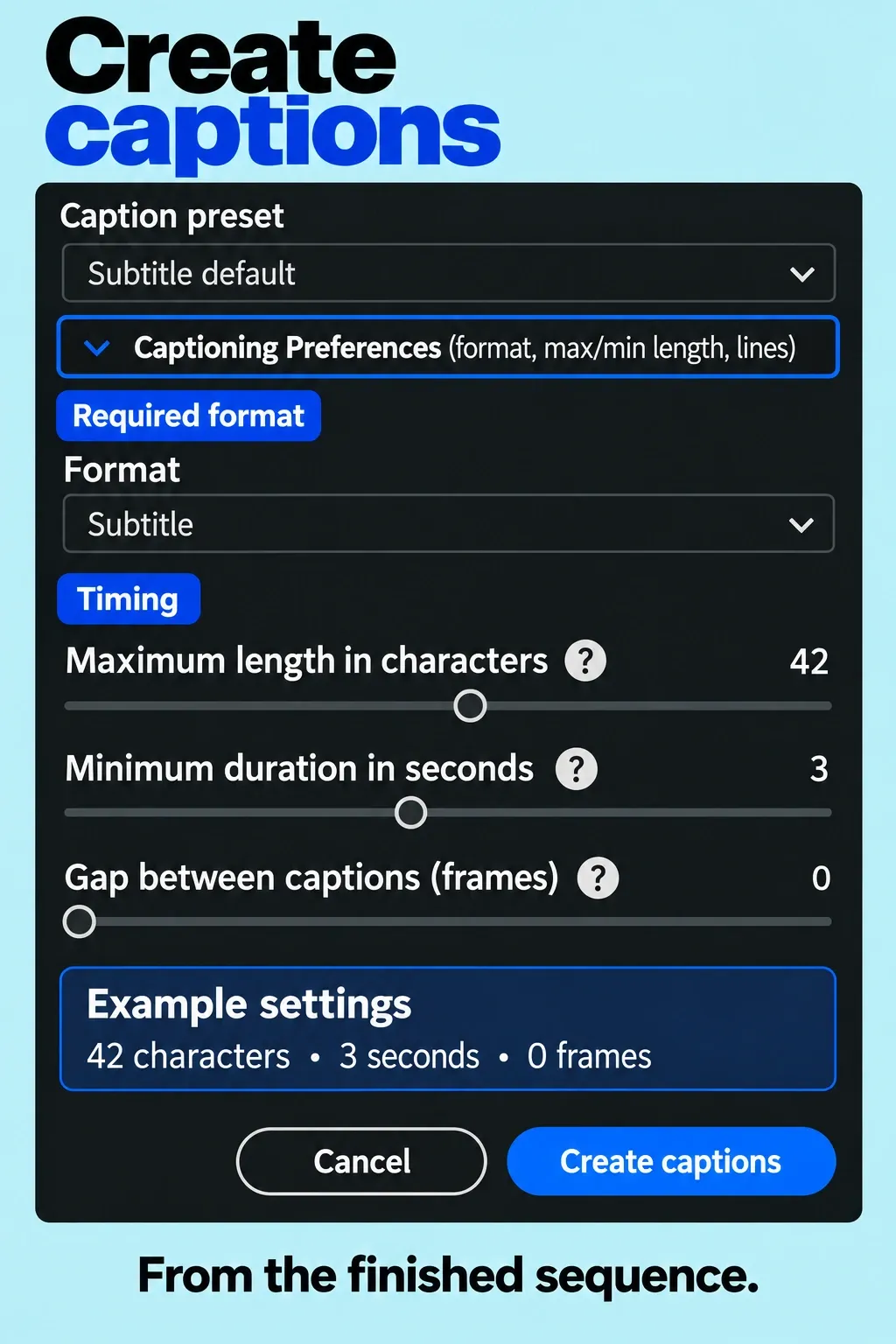
Captions are a separate delivery step. Adobe says Text-Based Editing does not handle the captions workflow: generate them from the finished sequence. In Window > Workspaces > Captions and Graphics, use Captions > Create captions from transcript, choose the required format and timing options, then create and review them. For a static sequence transcript, Speech to Text can analyze a specific audio track or Dialogue-tagged audio, with a selected language and optional In/Out range. In current Final Cut, Edit > Generate Captions > Closed Captions creates iTT captions, while Generate Captions > Subtitles creates connected standard title clips. Both automatic Final Cut branches require Apple silicon and U.S. English; manual or imported captions have a different language scope. A subtitle title clip is not an SRT caption file.
For repeated transcript-led interview assembly, Premiere gives you a documented reason to learn it even when a client accepts finished videos. For finding English speech and completing a familiar Mac edit, Final Cut may already cover the task. Pick by the operation and language you need; these speech features aren't interchangeable.
Compare the plan and the commitment
Standalone Final Cut Pro for Mac costs $299.99 at the current U.S. list price. Apple Creator Studio costs $12.99 a month or $129 a year and includes Final Cut Pro, Motion, Compressor, and other creative apps. Some premium content is reserved for subscribers; the standalone purchase and subscription should not be treated as identical content offers.
Desktop Premiere is available through a membership, with monthly or annual commitment options. Adobe currently advertises the individual single-app plan from $22.99 a month, annual billed monthly; its product FAQ qualifies that offer as first year only, new subscribers only. At that advertised rate, twelve payments total $275.88 before tax. Confirm your eligibility, renewal price, and checkout terms; don't assume that rate continues indefinitely.
Annual billed monthly is a year-long commitment paid in installments. Under Adobe's U.S. subscription terms, canceling an annual paid-monthly plan after the first 14 days incurs an early-termination fee of 50% of the remaining contract balance. If you need the app for a short engagement, compare the actual monthly-commitment offer with the annual offer before paying.
Count companion apps only when the work needs them. A Premiere single-app membership does not supply an After Effects license. Adobe's Creative Cloud Pro bundle includes both. At the U.S. offer checked on October 13, 2026, the individual annual plan billed monthly lists $69.99 a month. Eligible new subscribers are offered $34.99 a month for the first three months, then $69.99 a month. Those twelve payments total $734.88 before tax; twelve payments at the regular $69.99 rate total $839.88. These are published-price calculations for that multi-app route, not a quote for every buyer or a promise of future rates. The annual commitment and cancellation terms above apply; confirm the current offer and eligibility at checkout. The $275.88 Premiere-only scenario does not fund editable After Effects work. Similarly, owning Final Cut does not automatically supply separately purchased Motion or Compressor. Direct Final Cut/Compressor integration requires compatible versions from the same distribution: both Creator Studio editions or both one-time purchases.
Subscription access matters to an archive. Apple says Final Cut projects made with Creator Studio remain on your devices after cancellation; opening or editing them through the subscription app requires an active subscription. Adobe says most Creative Cloud apps and services become unavailable when a subscription ends. Retain native projects, source media, an approved master, required caption files, font and plugin details, and agreed audio deliverables. A saved project file alone is not a complete long-term access plan.
Team Projects, Productions, and After Effects solve different needs
Team Projects is available with all Creative Cloud subscriptions, including Individual plans. It requires an internet connection and a signed-in Creative Cloud account. The project data is managed in the cloud; each collaborator still needs access to the same media. Agree where the media lives and how changes reach everyone before calling the setup ready.
Productions divides a larger production into smaller projects and uses locking to avoid conflicting project changes. Media access runs through shared storage or mirrored drives, and I would follow the team's existing arrangement for either route. Changing editors does not repair unclear media ownership or inconsistent folder structures.
After Effects integration is a more specific reason to favor Premiere than “the Adobe ecosystem.” Dynamic Link connects an After Effects composition to Premiere, allowing composition changes to appear without first exporting an intermediate movie. The apps must have matching major version numbers. Complex compositions can delay playback; rendering and replacing the linked composition is one way to manage that.
For recurring editable graphics revisions, that connection can justify keeping both applications available. If a designer supplies approved rendered graphics and the job needs only a final master, the benefit may be smaller. Agree whether the recipient needs the composition, its assets and fonts, or a rendered file before choosing the plan.
Can a Final Cut project move to Premiere?
Yes, through a supported exchange workflow, with losses that can affect continued editing. Adobe states that Final Cut's FCPXML cannot be imported directly into Premiere. Its documented route uses XtoCC to convert the exchange to standard XML, followed by File > Import in Premiere. That is different from opening a Final Cut library or receiving a native Premiere project.
XtoCC is a separate Mac application listed at $49.99 in the U.S. App Store, from Intelligent Assistance. You can choose the current XML format or one of two previous formats when exporting a project as XML; FCPXML 1.10 or later uses a .fcpxmld bundle. Confirm that the installed translator accepts the exported format and version. Renaming an extension does not convert the XML dialect.
Before building a large assignment around conversion, agree the following with the receiving editor:
- The required editable result. Must they change camera angles, titles, grades, speed ramps, or the audio mix? Decide which treatments must remain editable and which may be delivered as rendered media.
- The source package. Keep the original library and export from a separate project copy. Supply the agreed source media, reference movie, caption files, and dependency details. A Final Cut library can reference external files; FxPlug dependencies need separate tracking.
- The actual transfer route. Export the selected Final Cut project, convert it with the compatible translator, import the resulting XML in Premiere, and inspect any translation report. The XtoCC handoff instructions explain that Windows recipients must locate media because Mac and Windows file paths differ.
- The receiving-editor check. Compare against the reference movie: cut points, duration, sync, framing, titles, transitions, speed changes, audio layout, and captions. Confirm that the recipient can make the required revisions before accepting the converted project as the deliverable.
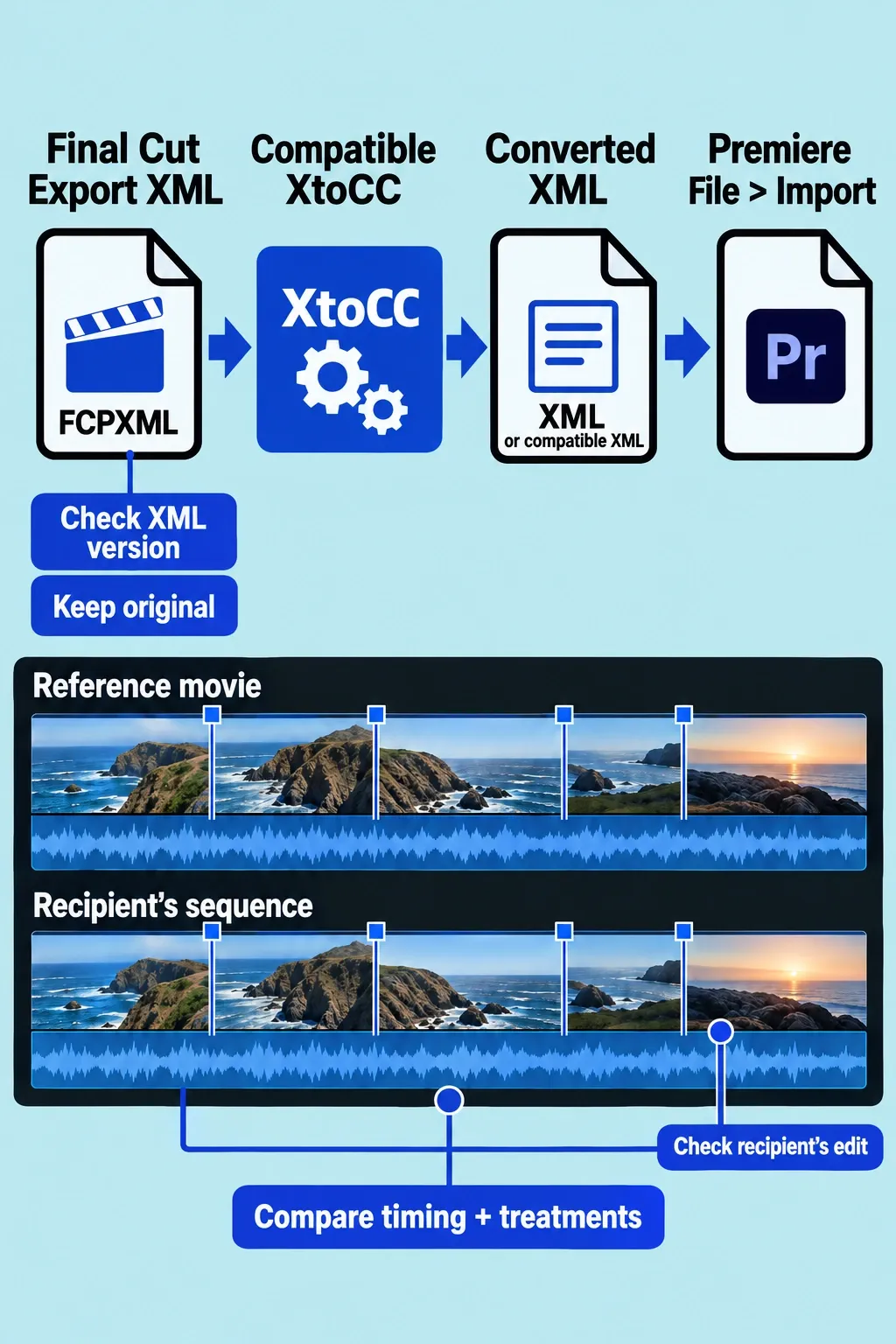
Adobe's supported-elements table identifies concrete losses: compound clips become nested sequences, multicam clips collapse to the active angles, transitions may be substituted with default settings, and titles become text with possible ordering changes in complex builds. Keyframed speed changes become a constant average speed while maintaining the clip's duration. That last change can preserve the cut length while losing the intended speed ramp.
I would choose Premiere from the start when a client must continue editing those native structures and cannot accept the conversion's limits. For a simpler handoff that the recipient has approved, keeping the initial edit in Final Cut can still be reasonable. Budget for rebuilding or rendering anything the exchange cannot preserve.
Hardware and playback need their own check
The current U.S. standalone Final Cut Pro 12.4 listing requires macOS 26.6 or later, with 8 GB of memory and 16 GB recommended. Apple's general Creator Studio FAQ still lists macOS 15.6 for Final Cut, Motion, and Compressor. The cause of that published difference is not established. Check the exact edition and version you intend to download; some Final Cut features also require Apple silicon.
Adobe's requirements page explicitly covers Premiere 26.0, 26.2, 26.3, 26.3.2, 26.5, 26.5.1, and 26.5.2. For those listed versions, it specifies macOS Sonoma 14 or later and 8 GB minimum, with 16 GB unified memory recommended on Apple silicon. The Windows requirements include Windows 11 v24H2 and separate processor, GPU, and memory conditions. Use the requirements for the version being installed, rather than assuming that this list covers every past or future 26.x release.
Minimum support is not a prediction of smooth editing. Camera codec and profile, storage, multicam count, plugins, linked compositions, proxies, and export settings all affect the workload. Check the exact camera media and dependencies in both intended setups. An old export benchmark cannot establish which editor will handle your recurring assignment better.
My choice would follow the recipient
Final Cut Pro is my choice when I control the Mac workflow, prefer connected editing, and deliver finished videos or an accepted Final Cut package. Its purchase option also makes sense when ongoing access to one editor matters more than a bundle of subscription apps.
Premiere is my choice when a receiving team needs its native projects, collaborators work on Windows, or regular editable After Effects work makes Dynamic Link valuable. Count the relevant licenses, media access, and version requirements as part of that choice.
Learning both is worthwhile when those requirements recur. Keep the editor that already serves your independent work, and learn the other for a defined assignment. A clear handoff requirement is a better learning plan than switching every project at once.