Start here
Final Cut Pro Libraries, Events, and Projects Explained
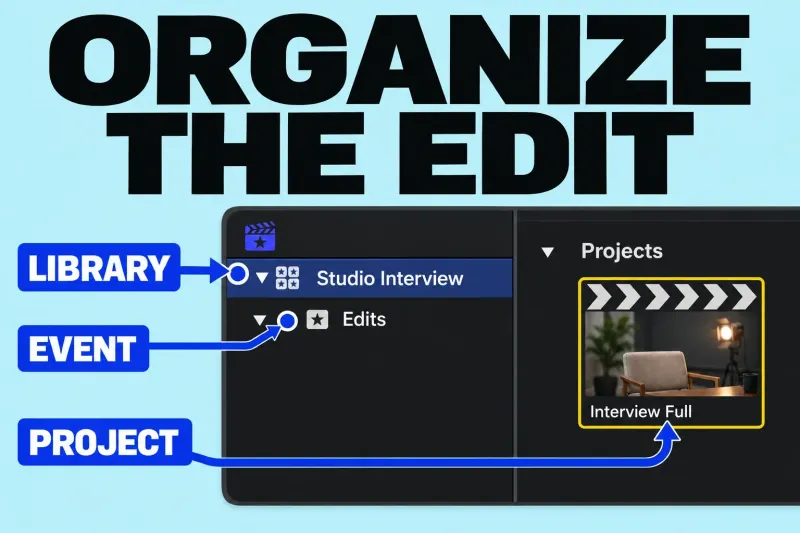
A library holds your editing work, an event organizes items inside that library, and a project is the sequence you edit in the timeline.
Final Cut Pro guides
Start with a short video you can finish. Follow the first-edit guide, then use the setup lessons to understand libraries, import choices and the files your project depends on.
A library holds your editing work, an event organizes items inside that library, and a project is the sequence you edit in the timeline.
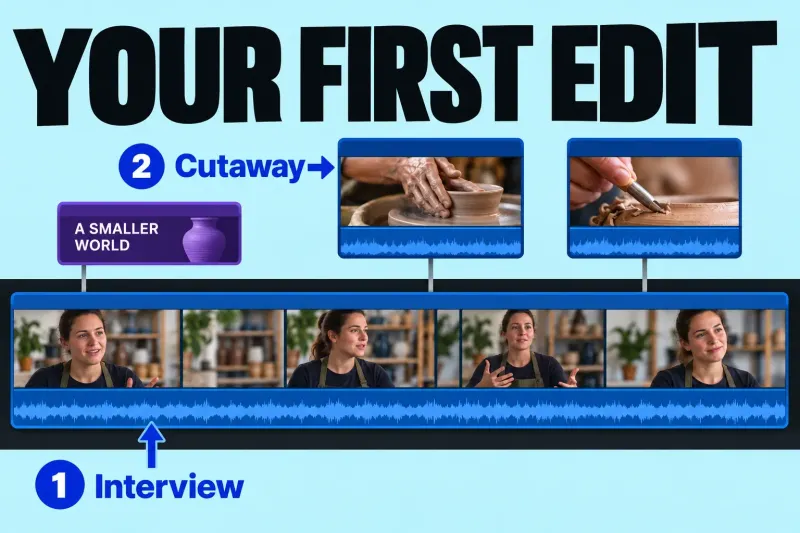
Your first Final Cut Pro edit can be a short interview answer with two cutaways and one opening title. Aim for about 60 seconds,
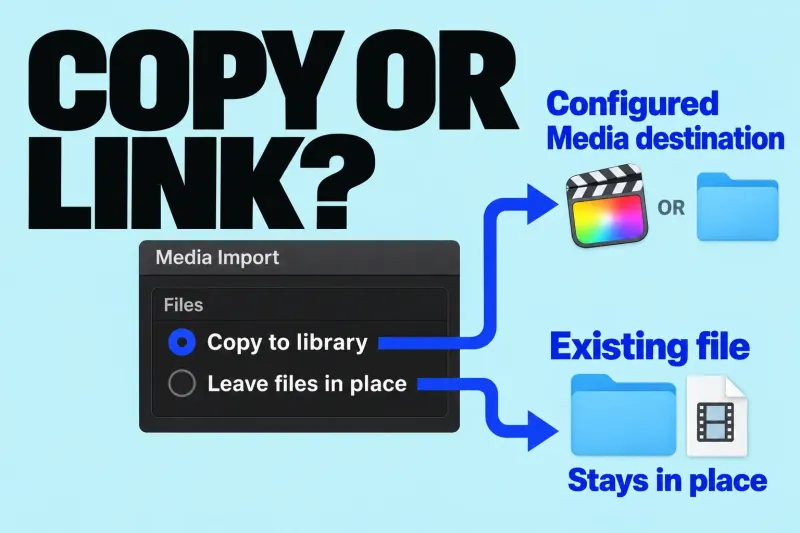
For ordinary files on your Mac or a storage drive, choose Copy to library to create copies at the library’s Media destination, or
Start with one small edit on Mac: a few shots, understandable sound and a saved video file. I would finish that before learning a long list of effects.
Follow the first-video walkthrough for the complete sequence. The setup guides above are there for the decisions that need a closer explanation; they are not prerequisites you have to read in full.
A library holds your editing organization, an event organizes imported clips, and a project is the edit you assemble. Apple's library overview explains how those containers relate to the media files. A clip appearing in Final Cut Pro does not, by itself, tell you where its source file is stored.
For a first exercise, give the library, event and project names you will recognize tomorrow. Keep the organization simple enough that you can explain which edit you are opening and which footage belongs to it.
Read the import choices before copying footage. In Apple's media import workflow, copying places files in the library's configured storage, while Leave files in place links the existing files. If you copy from a removable device, wait for the background tasks to finish before disconnecting it; linked files still need their storage available.
Put the necessary shots in order. Remove the parts that do not help the viewer follow the subject. When moving a shot produces a surprise, use the timeline guides to understand the edit rather than adding effects to cover it.
Listen to the sequence without watching, then watch it with the sound down. Use those two passes to find unclear speech, unexplained cuts and titles that disappear too quickly. The aim is a video someone else can follow.
Use the delivery guides for your destination. Play the exported file from beginning to end: the right project in the timeline is not a substitute for checking the file you will actually send.