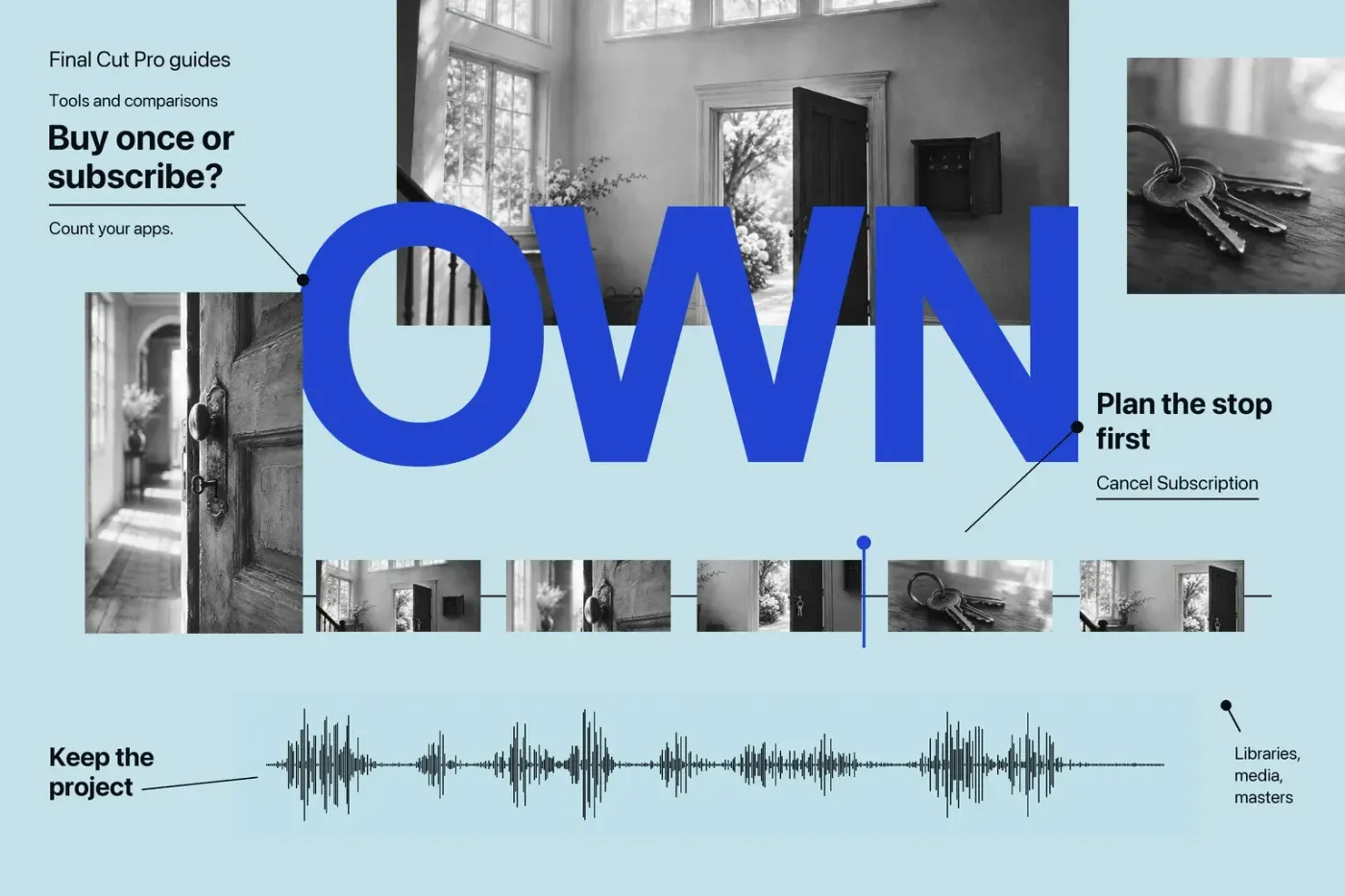
If you already paid for Final Cut Pro for Mac and it covers your editing needs, I'd keep that license. For a new Mac-only Final Cut setup you plan to use for years, I'd pick the one-time purchase. Creator Studio makes more sense for temporary access, Final Cut on iPad, or regular work in several of its included apps.
You don't have to subscribe just because the bundle exists: existing owners can keep using their standalone Mac apps, and Apple still offers those apps as one-time purchases. The useful comparison starts with what you already own and what the next job requires.
Start with what you already own
Already own Final Cut? Its original price is money already spent. A subscription adds a new bill, so I'd buy it only for a specific need: another included app, iPad access, or subscriber-only content that matters to the work. Apple says existing Final Cut owners will continue to receive updates, while some premium content is reserved for Creator Studio subscribers. That isn't a promise that both offers will always have identical content or every future feature.
Buying Final Cut for ongoing Mac editing? The standalone purchase is my default when Final Cut is the only app you need and you want to keep using that purchased app without a subscription. It costs more upfront than a paid year of Creator Studio, but repeated subscription payments change the comparison. Future macOS support, plugin compatibility, and continued download availability are separate from paying once.
Need the apps for a short assignment? I'd start by comparing the monthly subscription with the purchases the assignment would otherwise require. A low initial payment can make sense for temporary work, provided you plan for renewal and for opening projects after subscription access ends. For continuing work across several bundle apps, compare their actual incremental purchase costs before choosing a plan.
Compare the paid periods
At U.S. list prices, standalone Final Cut Pro for Mac costs $299.99. Creator Studio costs $12.99 per month or $129 per year. The selected subscription plan automatically renews until canceled; a yearly price is not a monthly installment quote.
| Payment path | One paid year | Three paid years |
|---|---|---|
| Standalone Final Cut Pro for Mac | $299.99 once | $299.99 for the initial purchase |
| Creator Studio yearly | $129 | $387 (3 × $129) |
| Creator Studio monthly | $155.88 (12 × $12.99) | $467.64 (36 × $12.99) |
These are payment totals, not equivalent feature sets or permanent ownership costs. The subscription rows assume continuous payment at the listed rate for one or three paid yearly periods, or twelve or thirty-six paid months. They do not include a free trial in the calendar. Prices and offers can change.
For eligible buyers, the education offer is $2.99 per month or $29.99 per year. It requires verification as a college student or educator, is a limited-time offer for new subscribers, and automatically renews at the selected rate until canceled. Education subscriptions are individual and cannot be shared through Family Sharing. Check eligibility before using those rates in your decision.
Price the companions you actually need
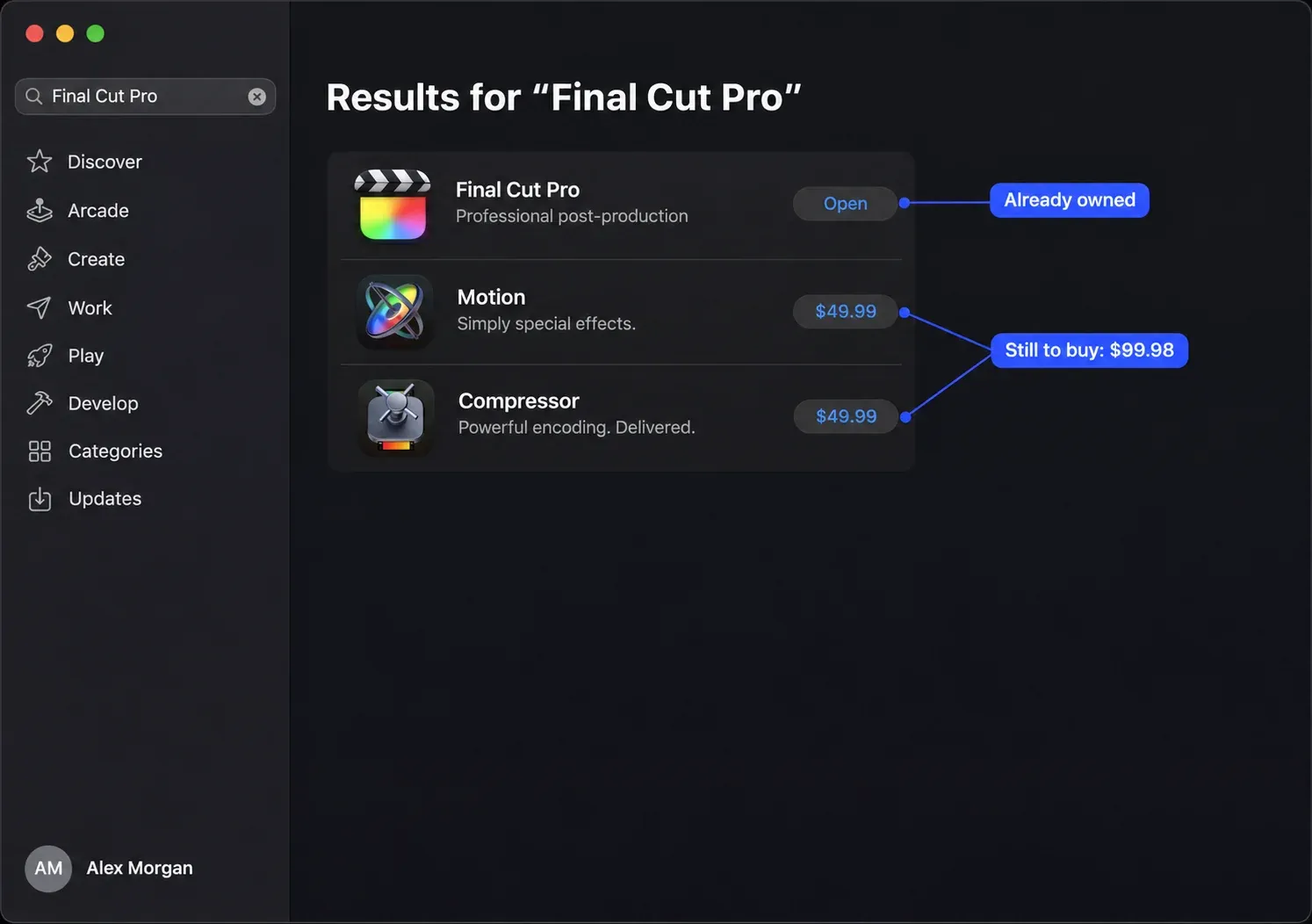
Suppose your work requires Final Cut, Motion, and Compressor on a compatible Mac. The current U.S. standalone prices are $49.99 for Motion and $49.99 for Compressor, alongside Final Cut's $299.99. Buying all three from scratch totals $399.97. One paid year of standard Creator Studio is $129; three paid years are $387 at the same rate.
Now change one condition: you already own Final Cut. Buying only the required Motion and Compressor licenses adds $99.98, below a paid year of the standard yearly bundle. If you already own either companion, exclude that purchase too. An app you do not need contributes no savings to this calculation.
This example excludes tax, trial and device promotions, education pricing, future changes, and premium content differences. It compares the named standalone App Store apps with the standard subscription, rather than every possible education, reseller, or organizational offer. It also assumes that the required editions run on your Mac.
One compatibility detail can change the plan: direct Final Cut/Compressor integration requires compatible versions from the same distribution: both Creator Studio editions or both one-time purchases. Don't assume an owned standalone Final Cut will connect directly to a subscription Compressor.
Count apps, devices, and family access
Creator Studio includes Final Cut Pro, Logic Pro, Pixelmator Pro, Motion, Compressor, and MainStage, plus premium content and intelligence features in Keynote, Pages, Numbers, and Freeform. Useful as that collection can be, the number of app icons isn't the buying criterion; the work you'll do in them is.
The platform distinction matters: you get Final Cut for both Mac and iPad in Creator Studio; Motion and Compressor are Mac-only. The standalone purchases discussed here are Mac apps. Buying standalone Final Cut for Mac doesn't mean you've paid for its iPad app.
A standard Creator Studio subscription can be shared with up to five other family members. The education subscription can't. Family access isn't exclusive to the bundle: standalone Final Cut also supports up to six family members with Family Sharing enabled. The usual Purchase Sharing and same-Home-Country rules still apply. I wouldn't rely on family sharing in place of checking a business's licensing needs.
Check the exact edition before paying
A bundle is poor value if the app that justified it cannot run on your device. The current standalone U.S. App Store listings show the following versions and Mac minimums:
| Standalone Mac app | Listed macOS minimum |
|---|---|
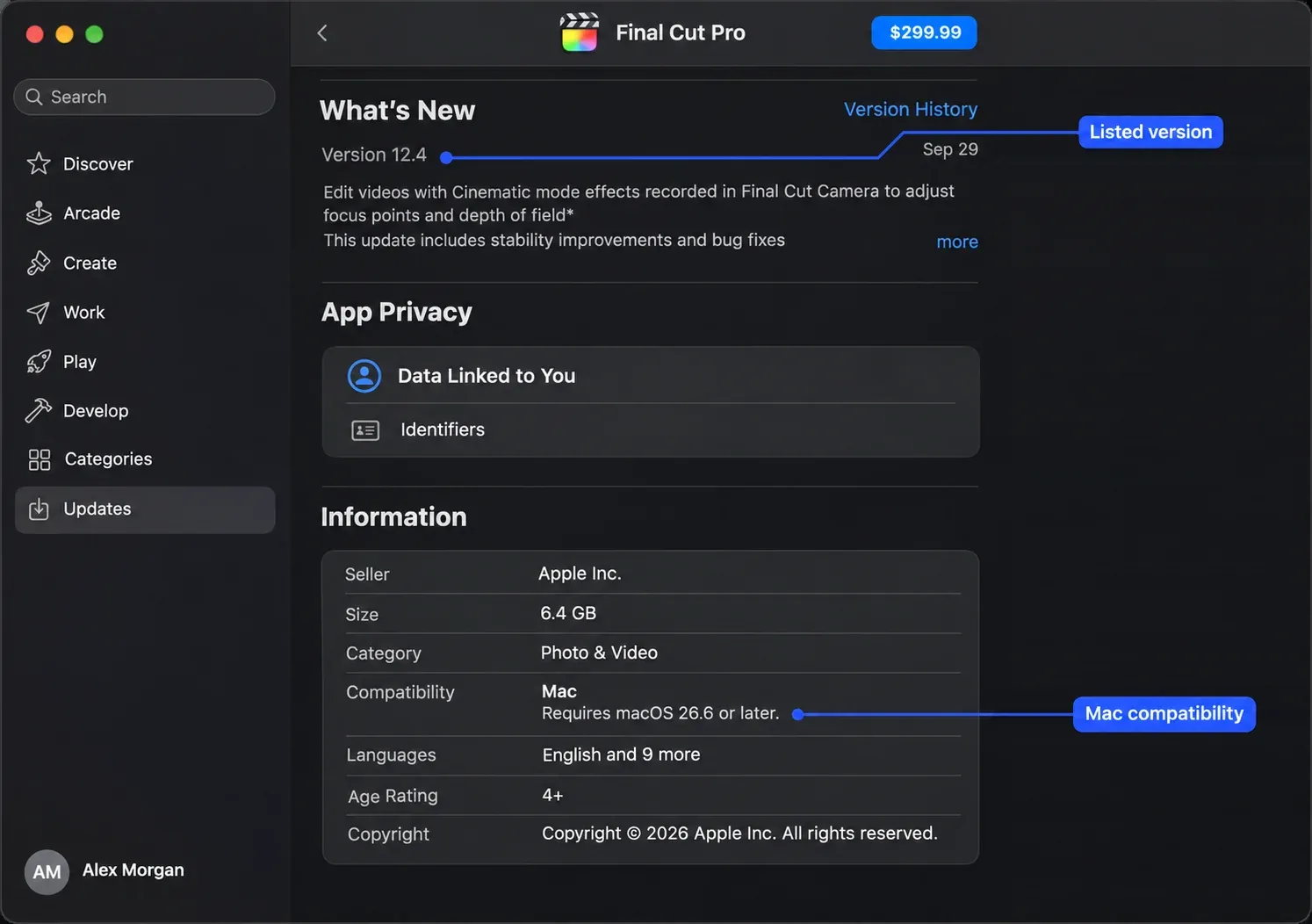
| Final Cut Pro 12.4 | macOS 26.6 or later |
| Motion 6.4 | macOS 26.6 or later |
| Compressor 5.4 | macOS 26.6 or later |
Apple's own pages disagree here: its general Creator Studio FAQ still lists macOS 15.6 for Final Cut, Motion, and Compressor, as do the Final Cut product FAQ and general Final Cut requirements for Final Cut. Those pages don't explain the difference. I'd check the exact edition and version offered to your Apple Account before buying or downloading, rather than assume the general 15.6 wording guarantees access to the latest standalone release.
The Creator Studio Mac bundle listing also gives macOS 26.6, but that aggregate listing doesn't resolve the minimum for each individual subscription app or its iPad edition. Check the actual app you intend to use. Don't apply a Mac requirement to an iPad.
Companions have their own limits even in the general FAQ: Logic Pro for Mac requires Apple silicon and macOS 15.6 or later, while Pixelmator Pro for Mac requires macOS 26 or later. Those are FAQ-level requirements, not a fresh guarantee about each current individual App Store edition. Subscriber intelligence features carry their own system requirements and usage limits, so check the relevant app and feature before counting it as a reason to subscribe.
Our Final Cut system-requirements guide separates Mac eligibility from memory, storage, and feature requirements. Choose a usable edition first; then compare its payment model.
Plan the stop before starting a trial
The Final Cut FAQ advertises a 30-day Creator Studio trial; the standard offer is for new subscribers and renews automatically on the selected monthly or yearly plan. Check the offer shown to your account instead of counting a trial as a guaranteed discount. If you do not want renewal, cancel a trial at least 24 hours before it ends.
For a subscription billed by Apple, its current Mac cancellation instructions are:
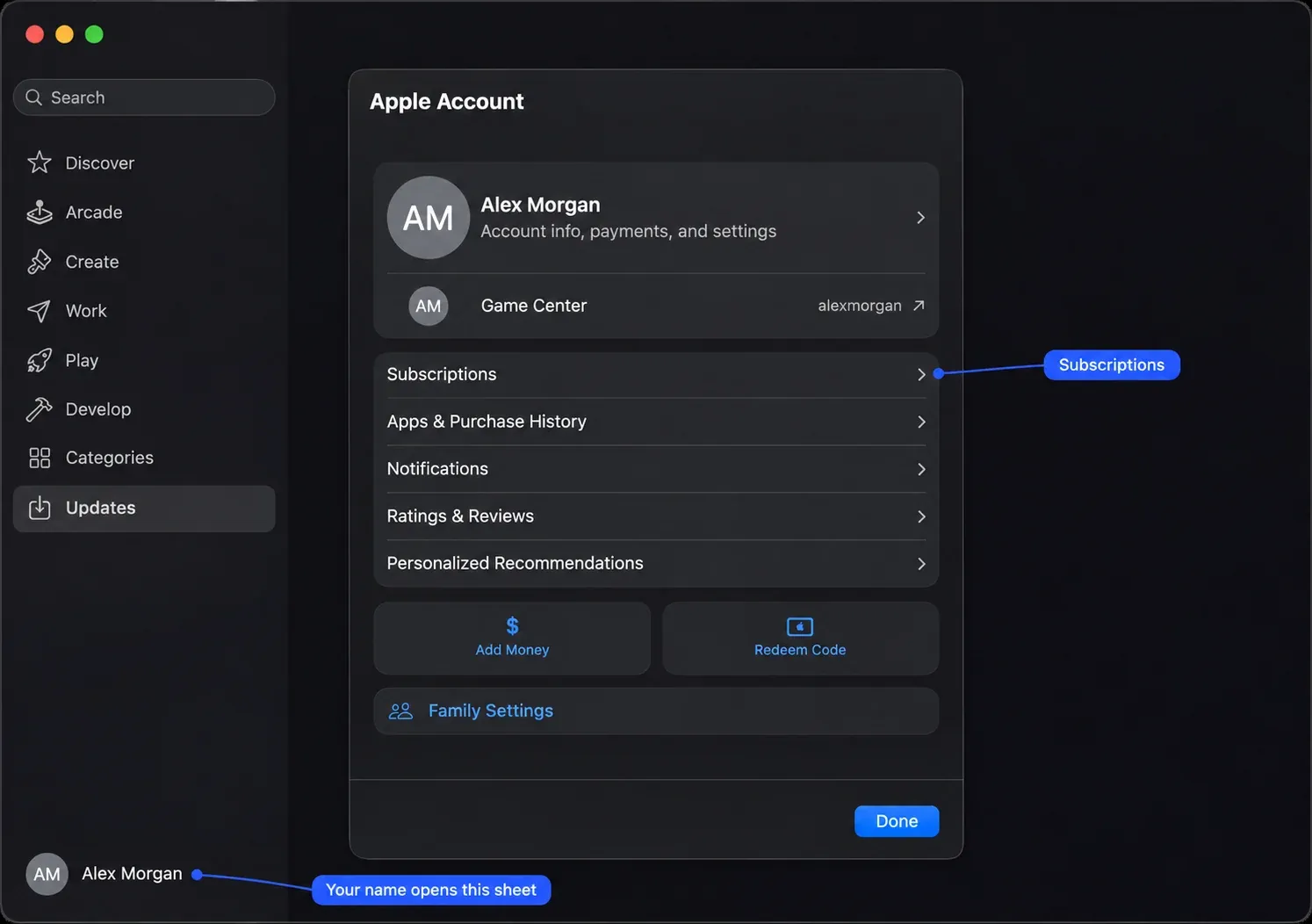
- Open the App Store and click your name at the bottom of the sidebar. Sign in to your Apple Account if needed.
- On the page that appears, click your name again; you may be asked to sign in.
- Click Subscriptions, then choose the subscription.
- Click Cancel Subscription. If there is no Cancel button or an expiration message appears in red, the subscription is already canceled.
Read the status and expiration shown for your account. Do not assume every trial or paid offer leaves the same remaining access after cancellation. If the subscription is missing, check the Apple Account on the receipt and who actually bills you; another provider's subscription must be canceled with that provider.
Keep the project and a way to open it
Cancellation leaves your work in place: projects remain on your devices, and content created during an active subscription stays licensed within the original creation. To open or edit Final Cut, Logic Pro, or Pixelmator Pro projects with the subscription apps, you must be an active subscriber. Keynote, Pages, Numbers, and Freeform documents remain editable, but you cannot make new edits using their paid features. File retention and app access are different things.
Before subscription access ends, retain your libraries, source media, exported masters, font details, and third-party license records. Record which Apple Account owns any standalone purchases, and remember that third-party content terms still apply to templates, motion graphics, and plugins. Keep a documented app/version and access route for later revisions, and check a representative project before depending on that route. The retention statement also doesn't mean that an older standalone version will open every project made with a later subscription edition.
The same care applies to a one-time purchase: Apple's redownload terms depend on continued availability, and paying once doesn't guarantee every future operating-system or plugin combination. For an existing owner whose work already fits Final Cut, that's a reason to maintain the archive, and I wouldn't start paying for the same access again without a concrete need.